Distraction-Free Mode (also called Focus Mode) reduces visual clutter in the Manuscript Editor so you can concentrate on writing. It creates a simplified, immersive writing environment by temporarily hiding or minimizing non-essential interface elements, while keeping all editor functionality available.
Focus Mode can be turned on or off at any time.
How to Turn Focus Mode On or Off
Open the Manuscript Editor.
Click the Focus Mode button in the editor toolbar.
Click the same button again to return to the standard editor view.

What Changes in Focus Mode
When Focus Mode is enabled:
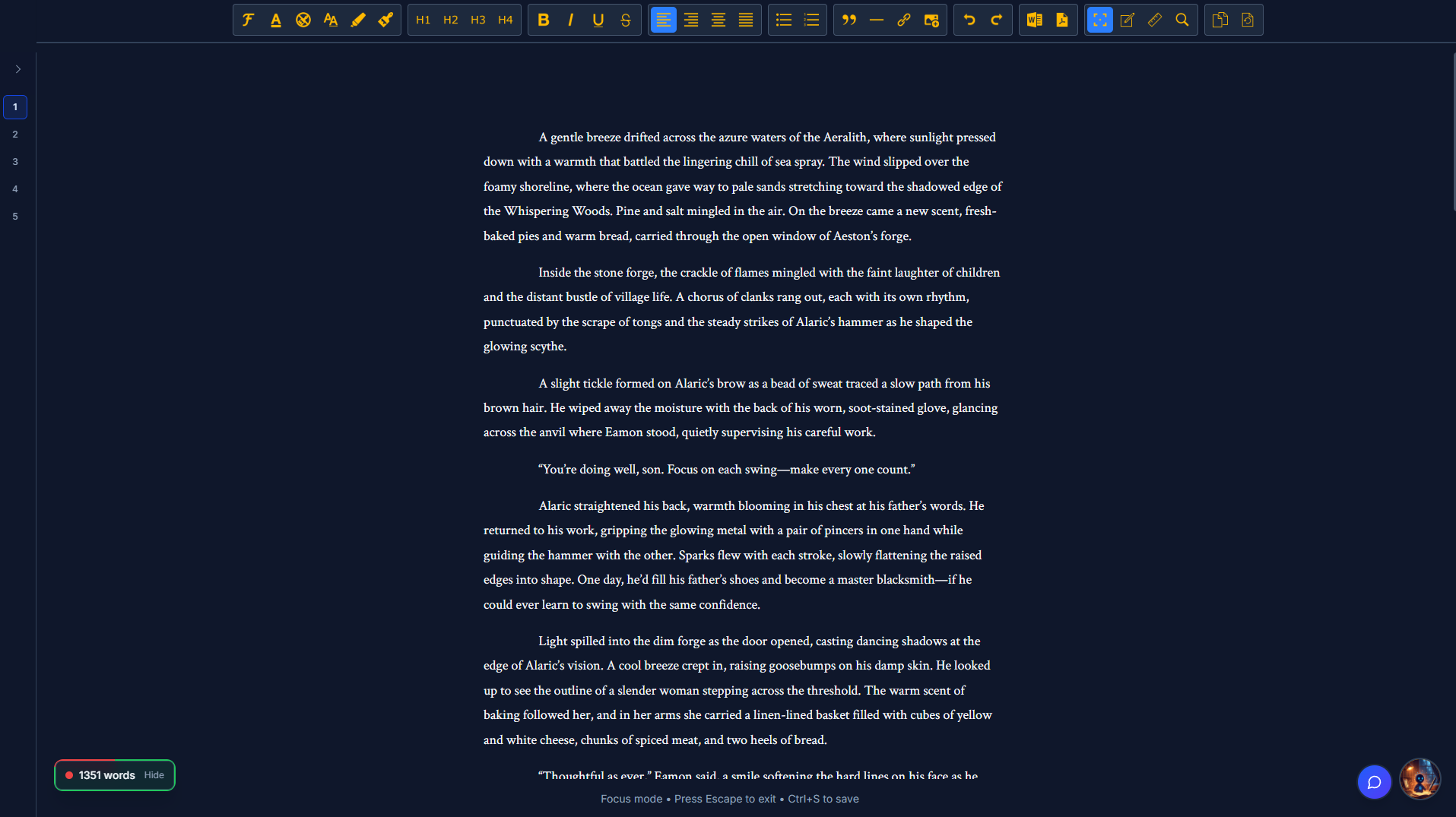
The editor enters browser full-screen mode (equivalent to pressing F11)
The chapter selector is minimized to show chapter numbers only
(chapter titles and labels are hidden)The Notes Panel is closed by default
(you can reopen it manually at any time)The ruler is hidden
(you can toggle it back on if desired)All toolbar buttons are condensed into a single row pinned to the very top of the screen
Your manuscript remains fully editable, and all changes continue to auto-save while you write.
What Focus Mode Does Not Do
Focus Mode does not:
modify or remove manuscript content
affect manuscript versions or worldbuilding versions
restrict formatting or editor features
prevent access to the Notes Panel or beta feedback
Nothing is lost or disabled — only minimized for focus.
Using Notes and Feedback in Focus Mode
Even while Focus Mode is active, you can reopen the Notes Panel at any time to access:
Author Notes
Chapter Outline
Worldbuilding Elements
Beta Feedback
Focus Mode closes the Notes Panel by default, but it does not block it.
When to Use Focus Mode
Focus Mode is ideal for:
drafting new chapters
writing long sections without interruption
staying in flow during focused writing sessions
Some writers choose to exit Focus Mode during revision or navigation-heavy tasks to restore:
full chapter titles and labels
persistent layout guides like the ruler
broader visual context while reviewing structure or feedback
This is a matter of preference — not a requirement.
Summary
Focus Mode optimizes the editor for writing flow, not restriction. You can freely switch between focused and standard views depending on how much context you want visible while working.