Home/Support/Creating a New Series

Creating a New Series

Category: Getting Started
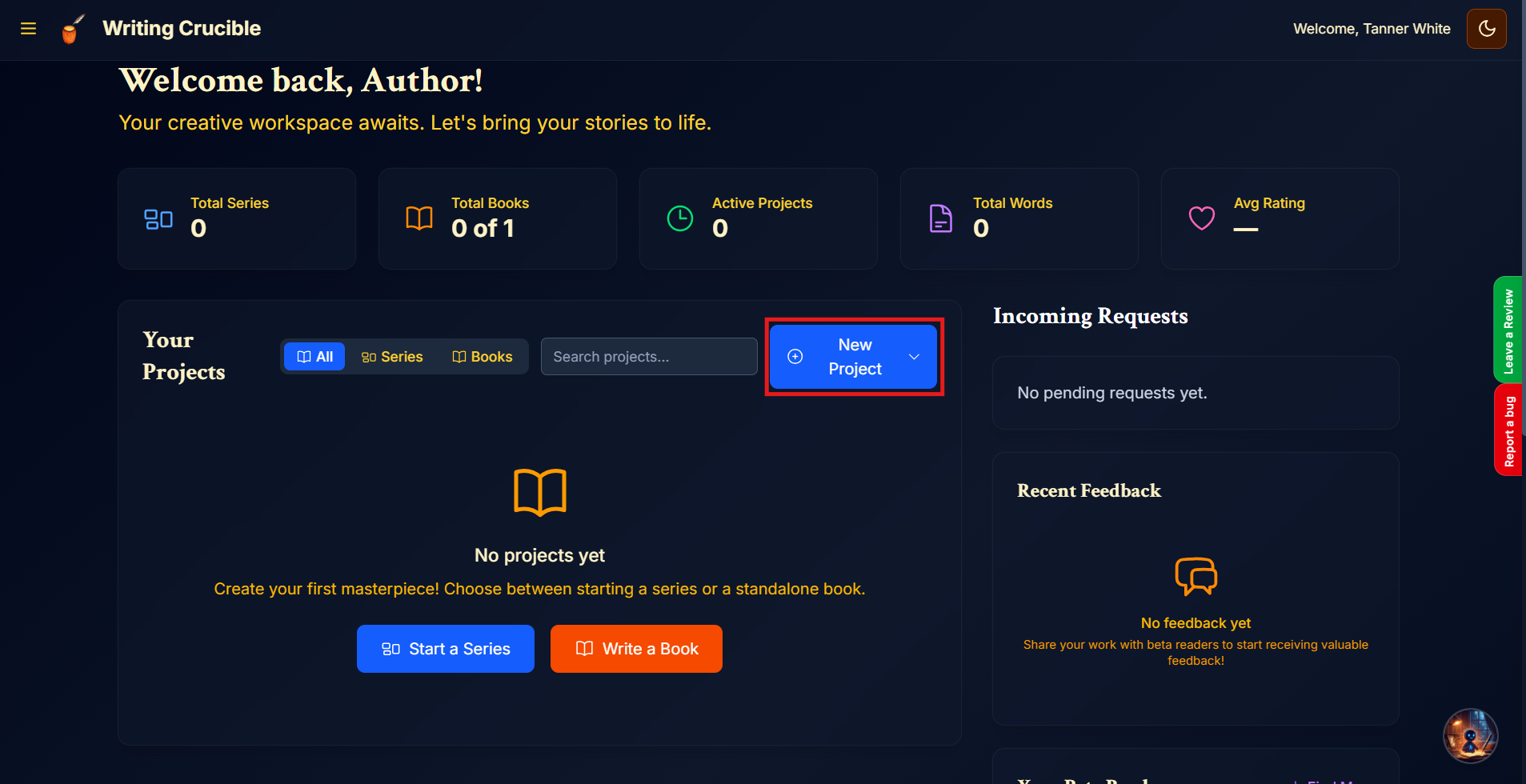
  1. Ensure you are on the Author Dashboard.

  2. Click on "New Project".

    Author Dashobard New Project Highlight.png

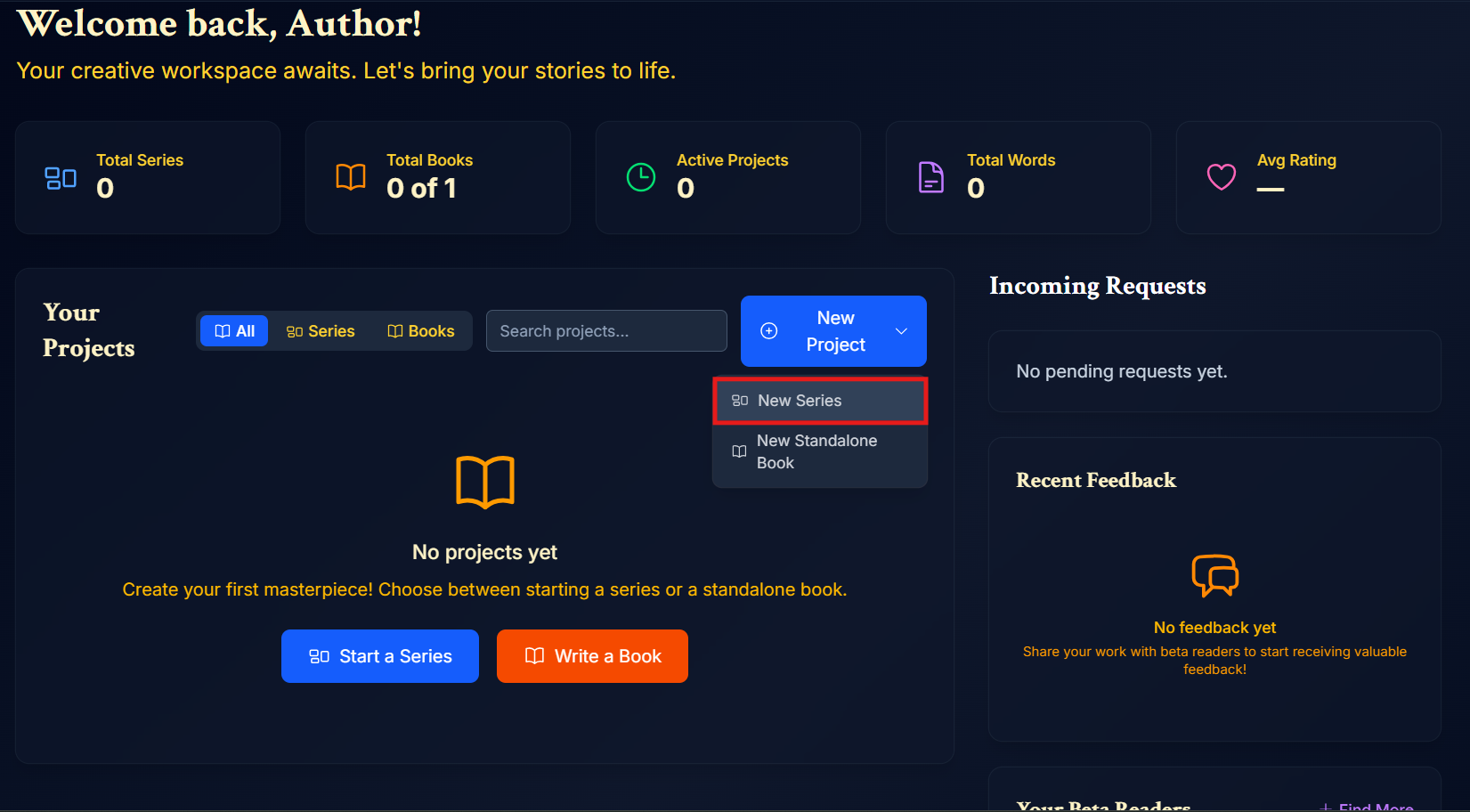
  3. Click "New Series".

    Author Dashobard New Series Highlight.png

  4. Input all of the information for your Series. The only required field is the Title field, all other fields are optional. Once done, click "Create Series".
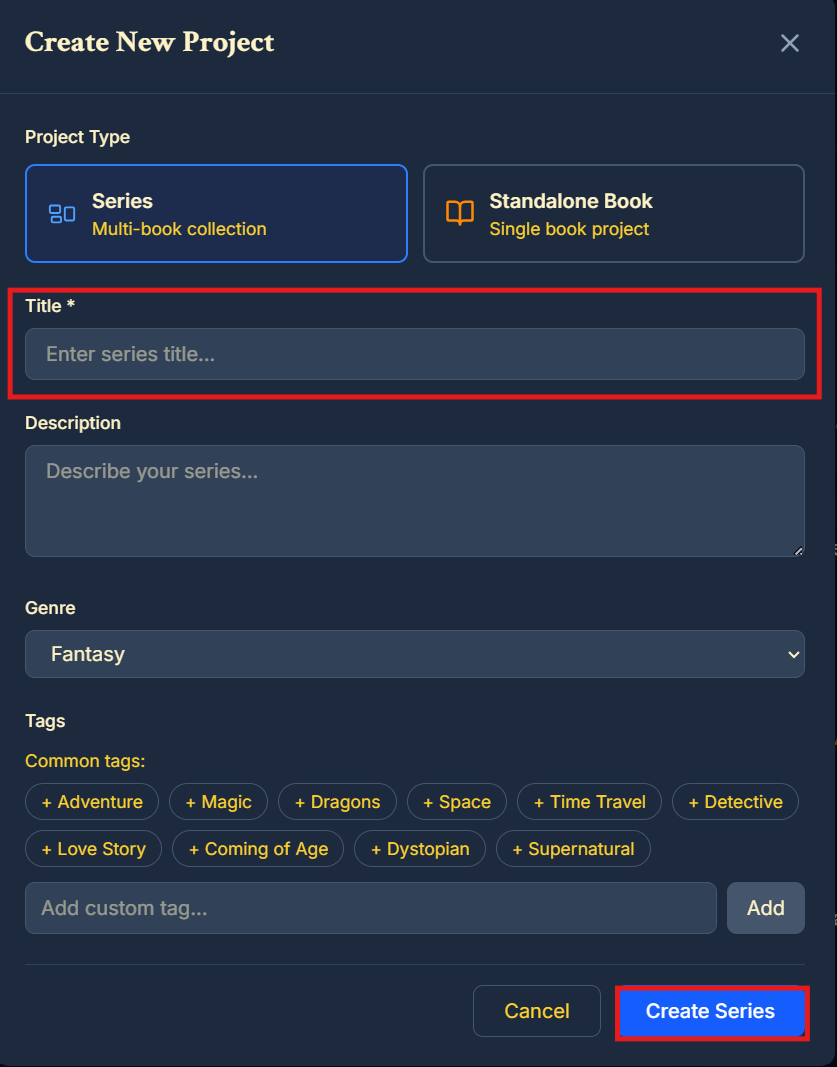
    Create Series Form - Submit Button and Title Highlight.png

Hi, I'm Cruci!
Your AI support agent. I'm ready to answer any questions you have about Writing Crucible!