Messages let you talk to the people you work with on a book, without leaving Writing Crucible. Every conversation is about a particular book.
Who you can message
Authors can message their beta readers and collaborators on a book, or send an announcement to everyone reading it.
Beta readers can message the author of a book they're reading.
Collaborators can message the author and the other collaborators on that book.
You can't message people you don't share a book with. Inviting beta readers and collaborators is covered in their own articles.
Opening your messages
Click the round Messages button in the bottom-right corner of the screen. A number on it shows how many unread messages you have.
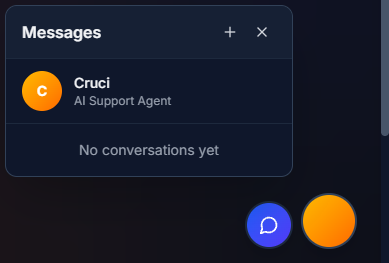
The panel lists your conversations. Click one to open it in a small chat window. You can minimise or close each window, and keep a few open at once.
The first entry is always Cruci, our AI support assistant. See Getting Help.
Starting a conversation
In the Messages panel, click + (New message).
In the To: box, type at least two letters of a name or book title, then pick from the list.
To message several people together, pick more than one. You can give the group a name in Group name (optional).
Type your message and press Enter to send. Use Shift + Enter for a new line.
To send an announcement, pick the entry for your book marked (Announcement).
Getting notified
New messages show as a count on the Messages button, not under the notifications bell. If you've turned on push notifications, you'll also get a push alert. See Email and Notification Settings.