An AI summary is a short, factual description of one version of a worldbuilding element: who or what it is, its key traits, its relationships and any limits worth remembering. Summaries give the AI writing tools a compact picture of your characters and places, so what they write stays true to your world.
What a summary is
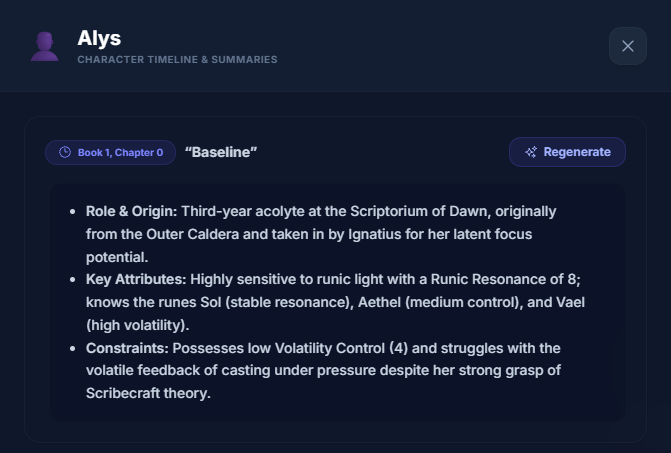
Each summary belongs to one version of an element. A character with three versions can have three summaries, one for each point in the story. See Worldbuilding Versioning.
It's written from the cards and fields of that version, in a few compact lines. The AI is told to stick to what you've written and not invent details.
Summaries are shown with their formatting, such as bold labels and bullet points.
You can edit any summary, or write your own instead.
Who can use it
Generating summaries is part of the Professional plan, including the free 14-day trial. It uses Writing Crucible's own AI, so you don't need to add an API key of your own.
The AI Summaries page
In your project's sidebar, expand Worldbuilding and click AI Summaries. You'll see a card for every element, with its Summary Progress (for example 2 / 3 Summarized) and a badge: Complete, Incomplete or No summaries.
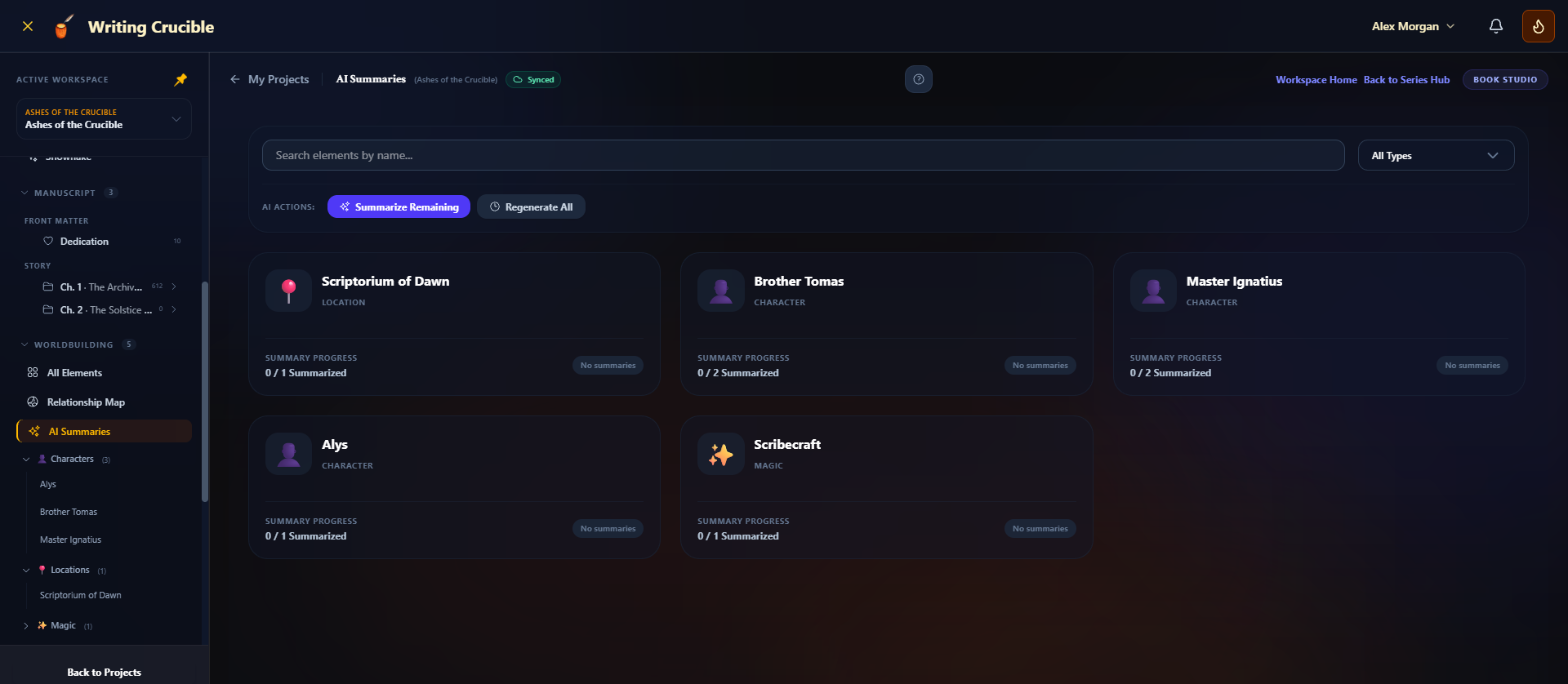
Use Search elements by name... and the All Types filter to find an element quickly.
Summarize one version
Click an element's card. A panel opens listing its versions, newest first, each labelled with its book and chapter.
Click Generate Summary next to the version. If it already has a summary, the button says Regenerate.
Edit or write a summary yourself
Hover over a summary and click the pencil (Edit Summary). Change the text and click Save Summary. For a version with no summary, click Write custom summary.
Summarize everything at once
Under AI Actions:
Summarize Remaining summarizes every version that doesn't have a summary yet.
Regenerate All rewrites the summary of every version, replacing any you've edited.
You'll be asked to confirm. Versions are summarized one at a time, with a progress bar, so a large world can take a few minutes. Keep the page open until it finishes. When it's done, a message tells you how many versions were summarized and, if any failed, how many and why.
From an element's Version Timeline
You can also summarize while you're working on an element:
Open the element and click the version button at the top of the canvas to open the Version Timeline.
Click AI Summaries at the bottom of the timeline.
Choose a version under Summarize a specific version and click Summarize Selected, or click Summarize All Versions.
Choosing a version here doesn't change the version shown on the canvas, and doesn't save anything over it.
The dialog lists your Existing Summaries below. In the timeline, versions that have a summary show a small sparkle icon.
How summaries are used
When you use the AI tools in the editor, such as Continue Writing with AI or AI Editing & Revision Tools, Writing Crucible looks at the scene you're in. It finds the characters and the setting listed for that scene in your chapter outline, matches them to your worldbuilding elements by name or tag, and gives the AI each one's summary for the current chapter. For a book in a series, it reads the series' worldbuilding, as it stands at this book and chapter.
If an element has no summary, a field labelled Summary, Profile or Bio (for a character) or Location, Setting, Description or Overview (for a place) is used instead, if there is one.
Those editor AI tools run on your own API key. Summaries themselves don't. See Managing AI API Keys (BYOK).
Tips
Summaries don't update on their own. After you change a version, click Regenerate for it.
If a summary gets something wrong, edit it. Your wording is kept until you regenerate.
If your plan doesn't include AI summaries, the AI Summaries page says AI summaries come with plans that include AI tools. with a See plans link, and its AI buttons are turned off.
If a summary fails, you'll see AI summary generation failed. Try again in a moment.