Writing Crucible tells you when something happens on your books, like new feedback or an invitation, and sends a few emails to help you get started. You choose how each kind reaches you, and you can switch off the emails you don't want.
Choosing how you're notified
Go to Settings → Notifications.
Each card is one kind of notification. Click a circle to turn a channel on or off: In-App (the bell at the top of the page), Push (alerts from your browser) or Email.
Click Save Notification Settings.
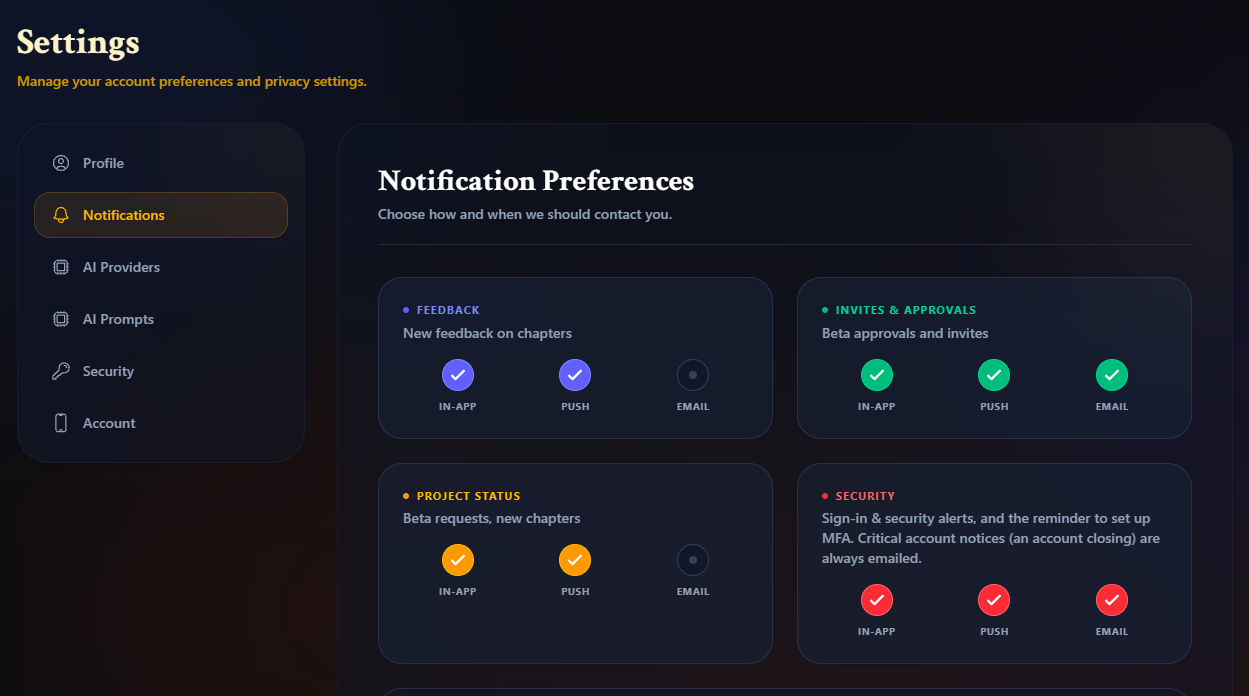
The four kinds are:
Feedback: new feedback on your chapters.
Invites & Approvals: beta reader invites and approvals.
Project Status: beta requests and new chapters.
Security: sign-in and security alerts, and the reminder to set up two-factor authentication.
Out of the box, everything arrives in-app and by push, and Invites & Approvals and Security also arrive by email.
Security alerts and urgent account notices are always sent by email and push, whatever you choose here. Turning off email for Security does stop the one-time reminder to set up two-factor authentication.
Turning on push notifications
Push alerts need your browser's permission. Click the bell at the top of the page, then click Enable next to Enable push notifications and allow it when your browser asks. If the button says Blocked, allow notifications for Writing Crucible in your browser's site settings. If it says Not supported, your browser can't receive them.
Product emails
The Product Emails card controls the occasional email we send that isn't about something happening in your account. Untick any you don't want, then click Save Notification Settings.
Getting started: reminders if you haven't finished setting up your account, a day and a week after you sign up.
Trial & billing: up to four emails during your free trial: near the start, about halfway, shortly before it ends, and when it has ended.
Product news: new features and tips. None are sent yet.
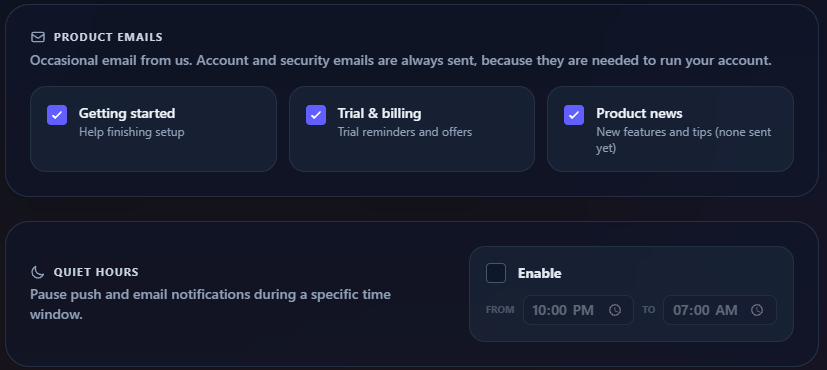
Some emails can't be switched off, because they're needed to run your account. These include security alerts, the confirmation when an account is closed, and the warning that an account will be deleted because setup was never finished.
Unsubscribing from an email
Product emails have an Unsubscribe from these emails link at the bottom. Clicking it switches off that kind of email only (for example, trial emails) and shows a page saying You have been unsubscribed. Your email app's own unsubscribe button does the same.
The link changes the same setting you see on the Notifications tab. To start getting those emails again, tick the box under Product Emails and save. If you unsubscribed from all of them at once, every box shows unticked; tick the ones you want back.
If the page says Link not recognised, the link is out of date. Email wc-support@writingcrucible.com and we'll remove you by hand.
Quiet hours
Quiet hours pause push and email notifications overnight, or at any time you choose.
In the Quiet Hours card, tick Enable.
Set the From and To times. They're in your own time zone, the one your computer or phone is set to when you save.
Click Save Notification Settings.
Push and email notifications that arrive during quiet hours are held, not dropped, and sent shortly after your quiet hours end. Critical account notices still come through straight away. Everything still appears under the bell as it happens, so you won't miss anything.
The notifications bell
The bell at the top of every page shows your in-app notifications, with a count of unread ones.
Click a notification to go to the thing it's about.
Click Mark all to mark everything as read.
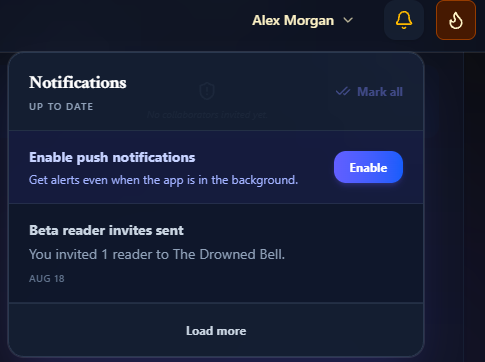
Messages from other people don't appear in the bell. They have their own button. See Messages.