Upgrade Membership from Free
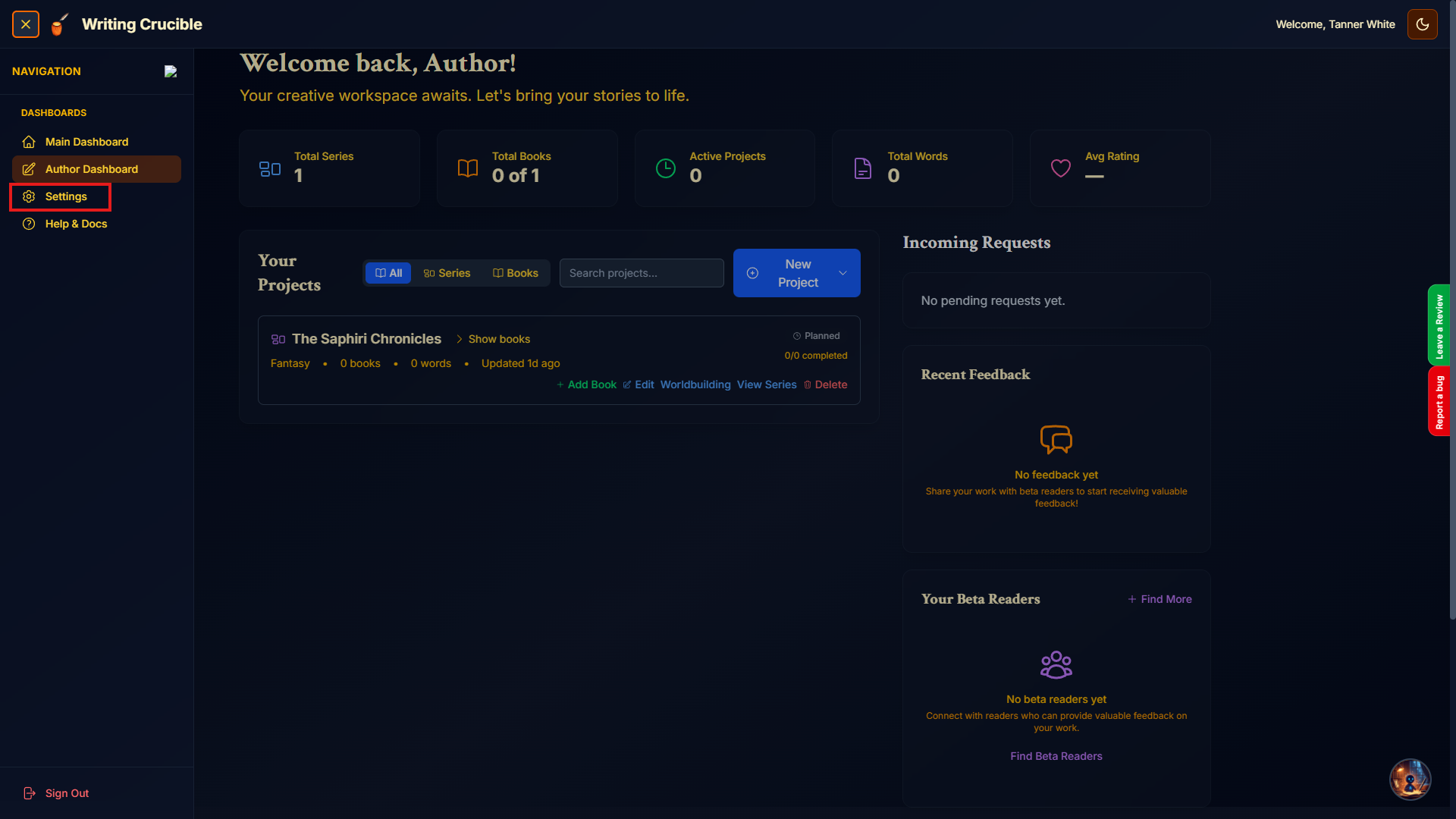
Login to the application and navigate to the Settings page.
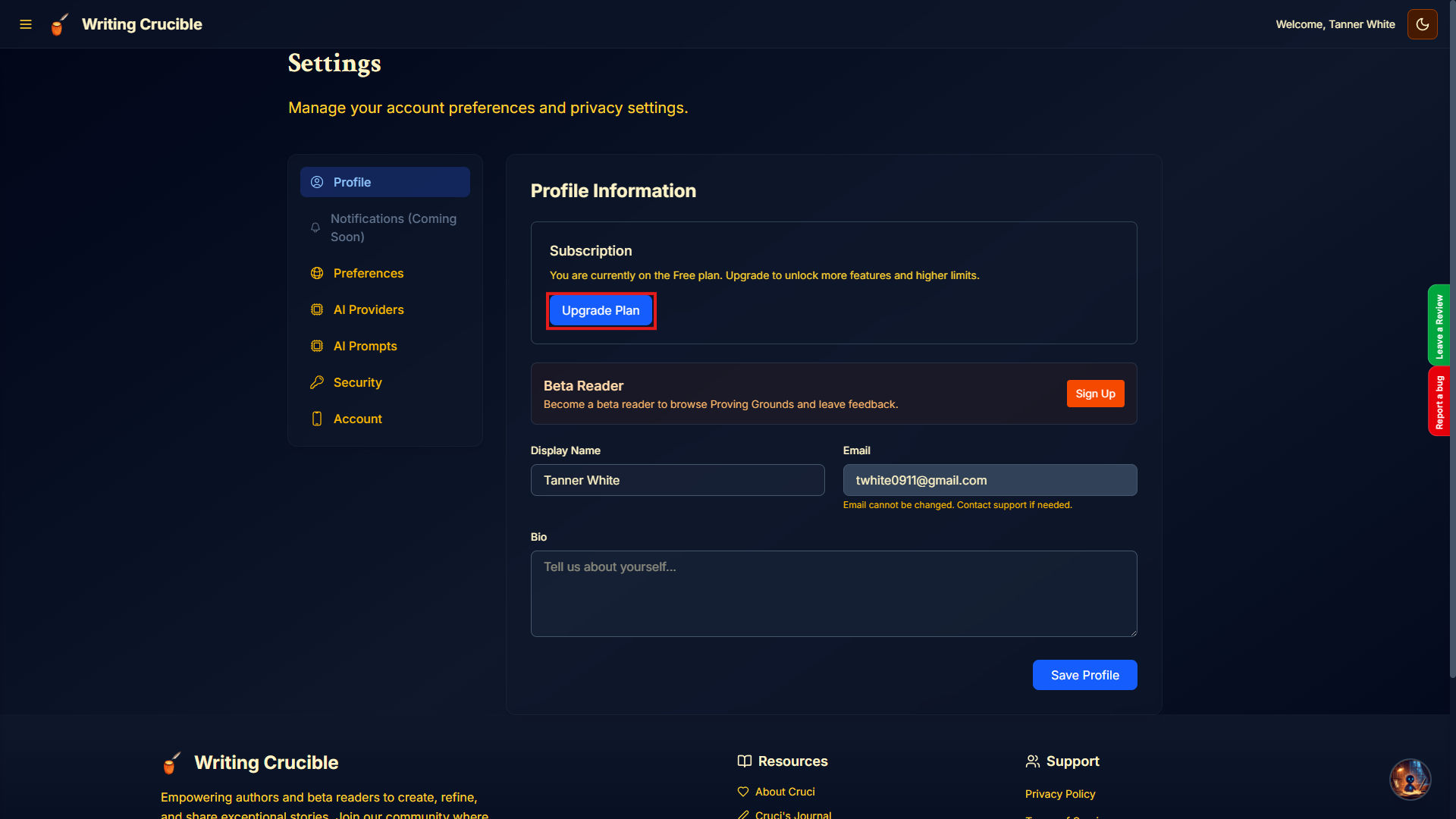
Select "Upgrade Plan"
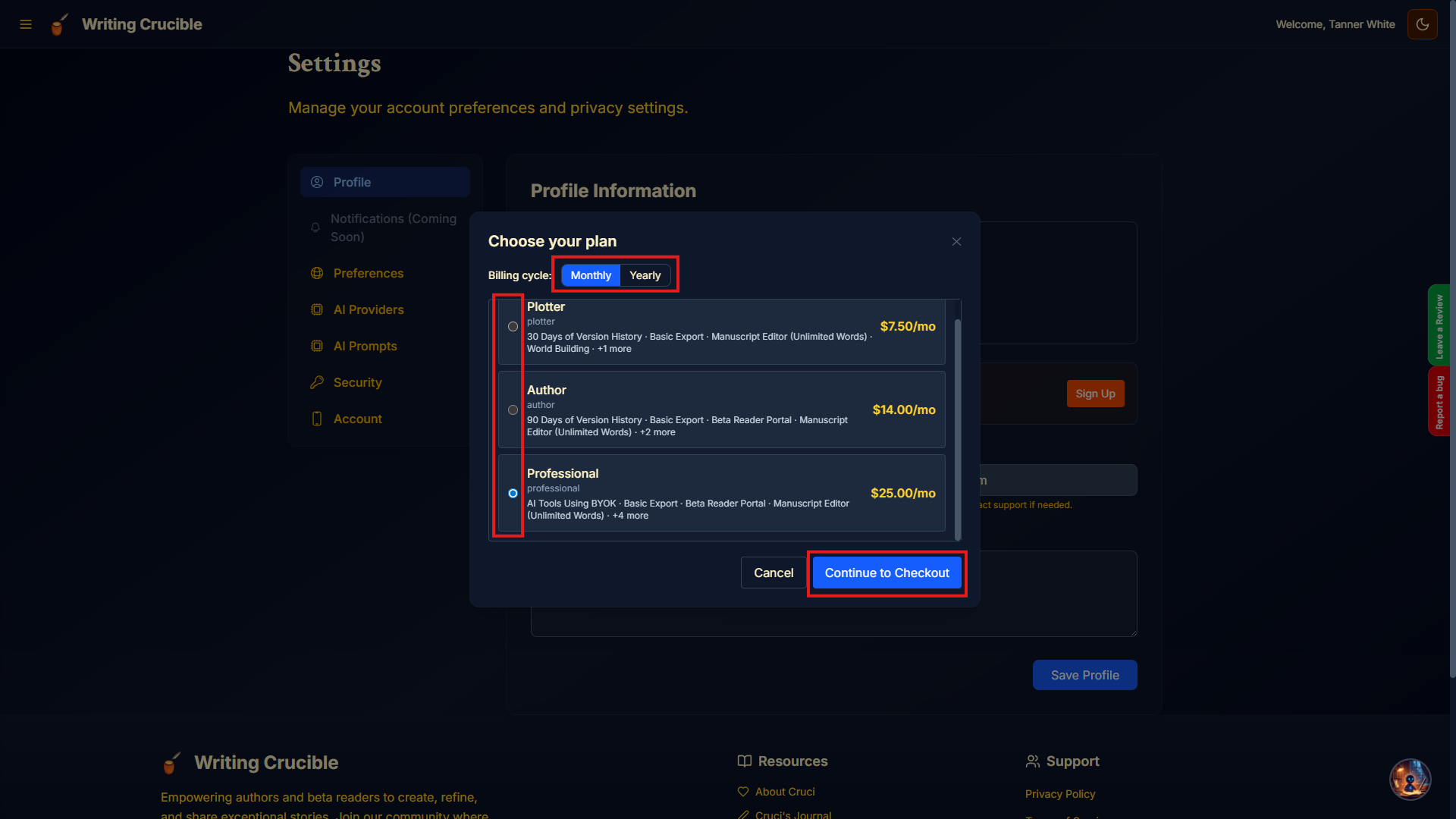
Select the billing cycle, Monthly or Yearly, select the plan that you want, and then Continue to Checkout. (*Yearly Subscriptions receive 2 months free)
Complete the checkout process with Stripe and you will be returned to the app once completed.
Upgrade or Cancel a Paid Membership
Login to the application and navigate to the Settings page.
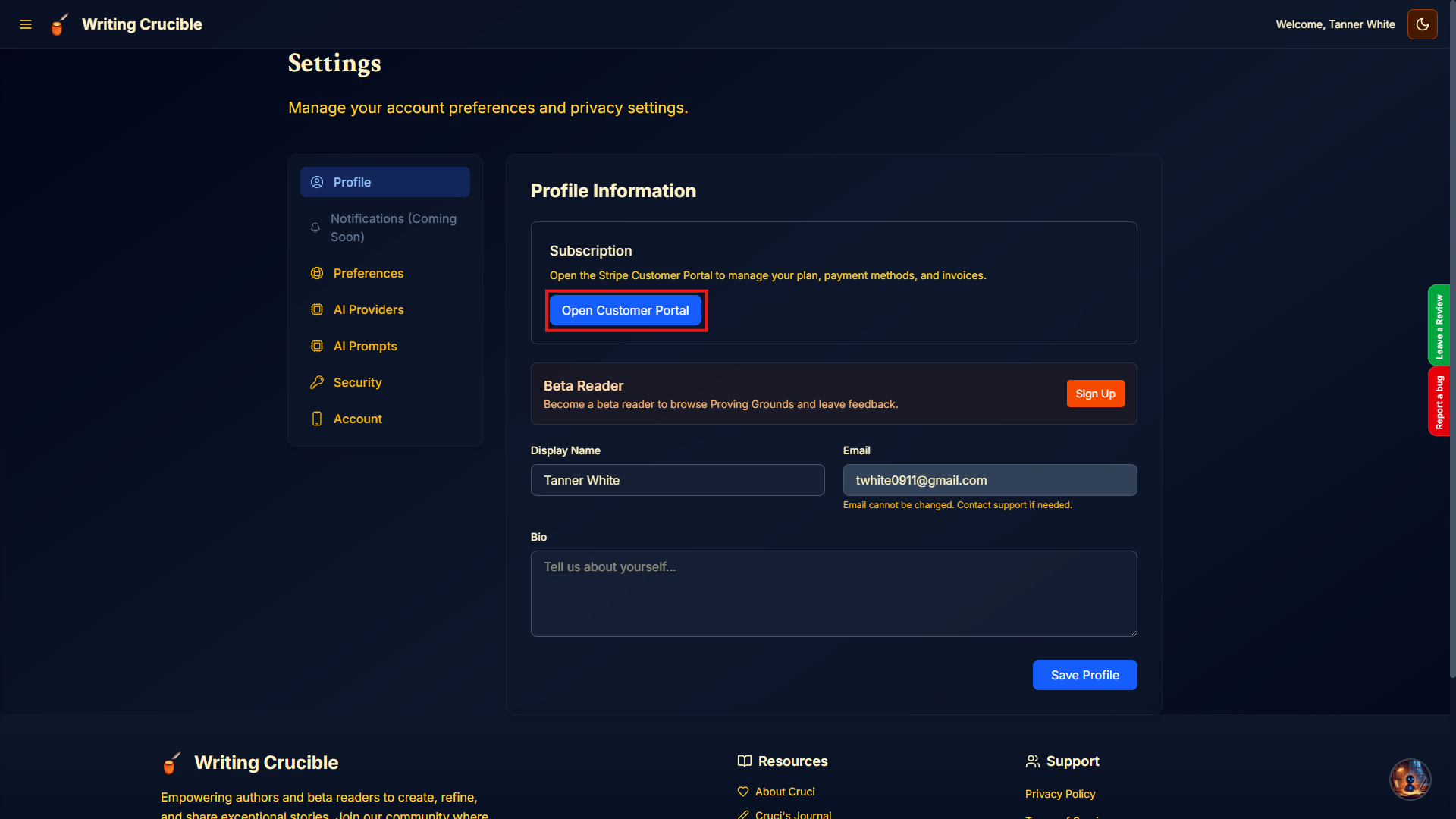
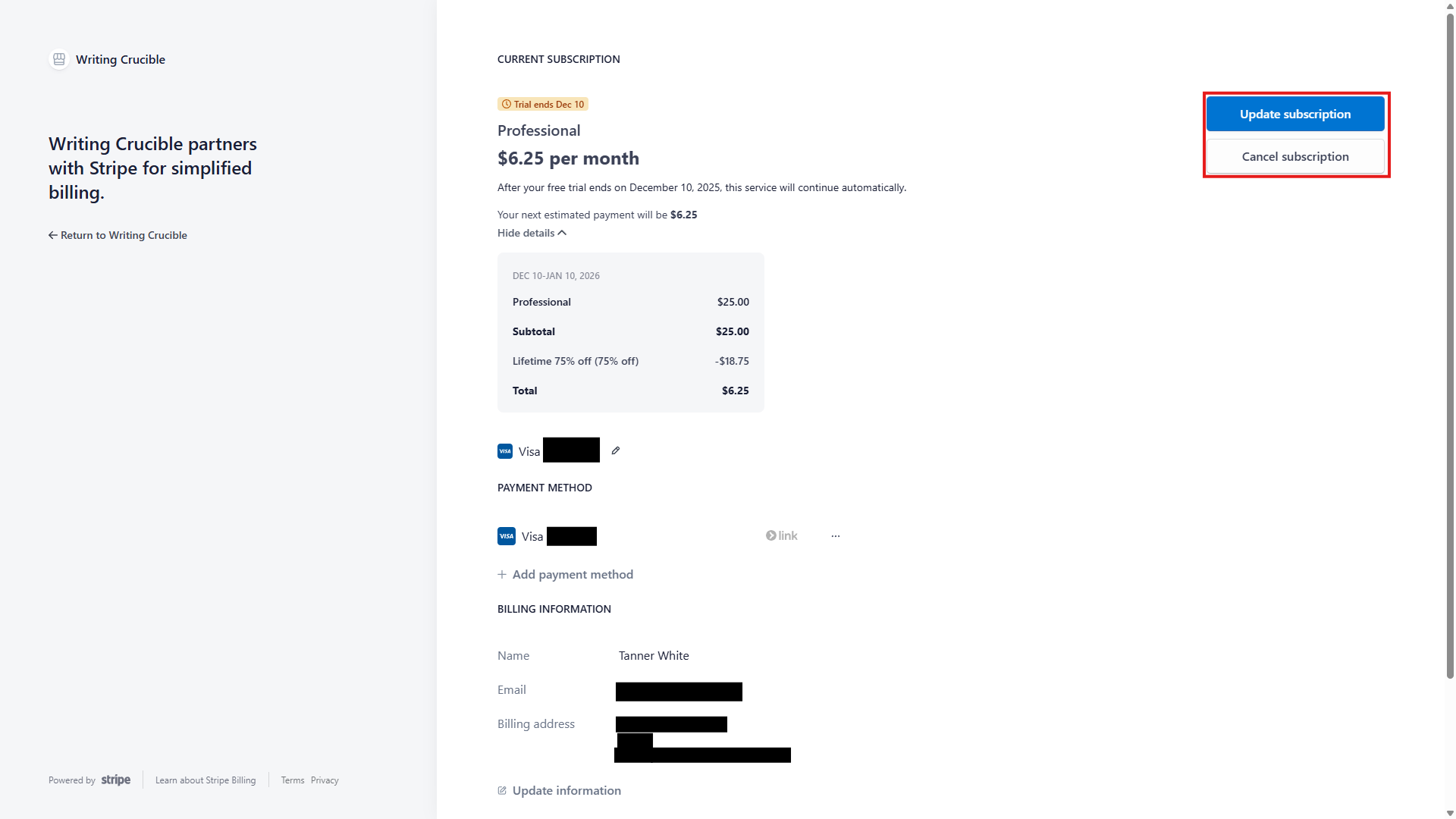
Click 'Open Customer Portal'
Select Cancel Subscription to cancel and click Update Subscription to upgrade/downgrade your current subscription.
Important Considerations
Plan Cancellations occur at the end of the current billing cycle, Upgrades/Downgrades take effect immediately.
If you downgrade, you’ll receive a prorated credit toward your next billing cycle.
If you upgrade, you’ll be charged a prorated amount for the remainder of the current cycle.
Changing from a free trial ends the trial and triggers immediate payment.